
IP camera systems
IP Camera System as a Complete Kit – All Essential Components for Your Security
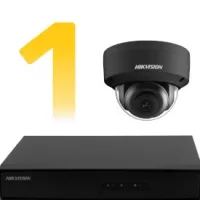
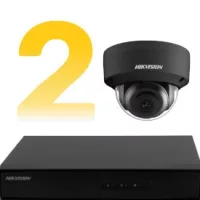
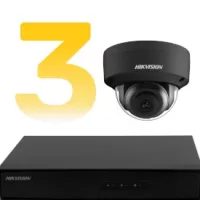
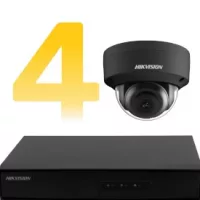
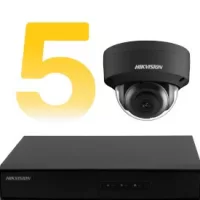
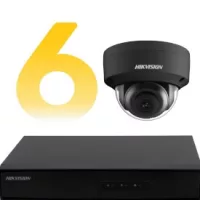
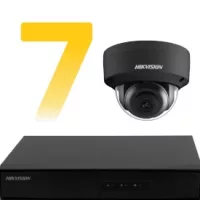
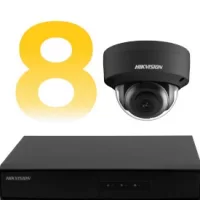
Our IP camera system kits include a PoE switch (if the NVR does not support PoE), all necessary cabling, the NVR recorder, and indoor/outdoor IP cameras.
Every IP camera system we offer is assembled to ensure that customers receive everything needed for complete surveillance in one package. The PoE switch guarantees plug-and-play installation, as it supplies power to the security cameras. Between the switch and the camera, only one UTP (network) cable is required, transmitting both video and power. The IP camera system enables network-based video recording and display through the connected NVR device. Both the NVR recorder and the switch must be connected with UTP cable. Thanks to IP technology, the cameras deliver high-resolution video with excellent image quality. Most IP cameras today are equipped with intelligent features such as facial recognition, object detection, AI-based analytics, and more — functionalities typically unavailable in other systems besides IP.
Filter
Not Only High Image Quality, but Easy Installation Too
Many choose IP technology when building their security system due to its superior image quality. Thanks to IP cameras, resolutions of up to 8 megapixels (4K) are available — usually at a higher price range. The IP camera system models we offer are easy to install, although configuration requires some IT knowledge.
System Advantages
- High-resolution cameras for sharp and detailed video,
- Smart features and advanced video analytics,
- Digital signal transmission,
- Easy installation
Installing and Setting Up an IP Camera System
- Mount the cameras in the desired locations,
- Run the UTP cables,
- Connect the IP cameras to the switch using UTP cables,
- Connect the NVR recorder to the switch with a UTP cable,
- Detect and add the cameras to the system via the NVR interface,
- The IP camera system is now ready to use.
Frequently Asked Questions – IP Camera System
1. What kind of internet connection is required for the IP camera system? Although the system works on a local network, for remote access a stable connection with at least 10 Mbps upload speed is recommended.
2. How long can the system record and how is footage stored? Recording time depends on the HDD size, number of cameras, and resolution settings. A 1TB HDD can typically store 1–3 weeks of footage when using motion detection.
3. Can I view the live feed on my phone? Yes, all IP camera systems we offer support Android and iOS apps — for live viewing, playback, and push notifications.
4. Does the system work during a power outage? Not by default — but with an uninterruptible power supply (UPS), the system can continue to operate during power failures.
5. Which camera should I choose for outdoor use? For outdoors, we recommend cameras with at least IP66 weatherproof rating and infrared illumination for night visibility.
6. Is system setup difficult — do I need a technician? Installation is simple, but configuration requires basic IT knowledge. If unsure, it's worth seeking help from a professional.
Installation Tips – For Long-Lasting and Effective Surveillance
1. Plan ahead: Before purchasing, determine which areas need monitoring. Ideally, camera fields of view should overlap to avoid blind spots.
2. Cable protection: Protect UTP cables from weather and mechanical damage — use conduit or cable trunking.
3. Recorder placement: Position the NVR in a secure but well-ventilated area that remains easily accessible.
4. Ensure reliable power: If long-term stability is required, use a UPS to avoid recording interruptions during power outages.
5. Test mobile access: After the initial setup, always test remote access on your mobile device to confirm you can view the live image.

